.png)
Customize your Personal Settings
Personal settings allow you to customize your profile, email signature, calendar connections, and availability inside AccountGroove to be reflected across the platform
Access Your Personal Settings
- From the left-hand navigation, click Settings
- Select My Profile


Update Your Email Signature
You can create a new email signature or paste one from another platform.
-
In My Profile, scroll to the Signature section
Enter your email signature directly into the editor
- You can format text, add links, or include images
- Click Save / Update
Note: By enabling the toggle your signature will automatically appear on emails sent from AccountGroove.

Tip: You can also insert the code here you may have from an existing email signature provider.


Connect Your Calendar
Connecting your calendar allows AccountGroove to sync availability and schedule meetings correctly.
Steps
-
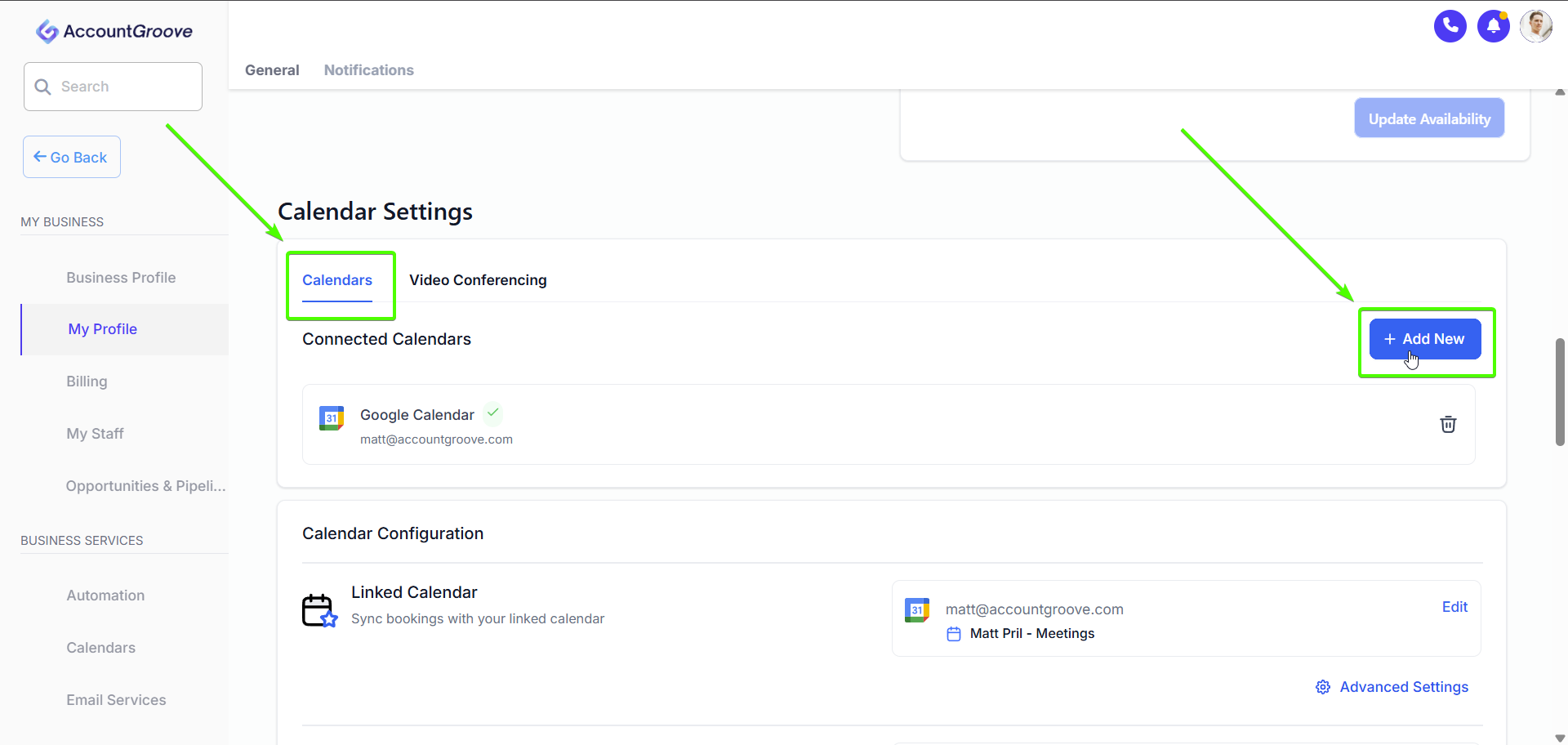
In My Profile, scroll down and open Calendar Settings
Choose your calendar provider:
- Google Calendar
- Outlook / Microsoft
- iCloud
- Calendly (In a later step you can setup AccountGroove's internal calendar)
- Click Connect and follow the authorization steps
- Click Save / Update
Once connected, AccountGroove will use your calendar to prevent double bookings.
Tip: AccountGroove’s calendar works like Calendly, TidyCal, or Scheduler and is fully integrated into the platform to give you more insight into your bookings. Learn to create calendars here.
Connect Video Conferencing
Connecting a video conferencing tool allows AccountGroove to automatically generate meeting links for scheduled calls.
-
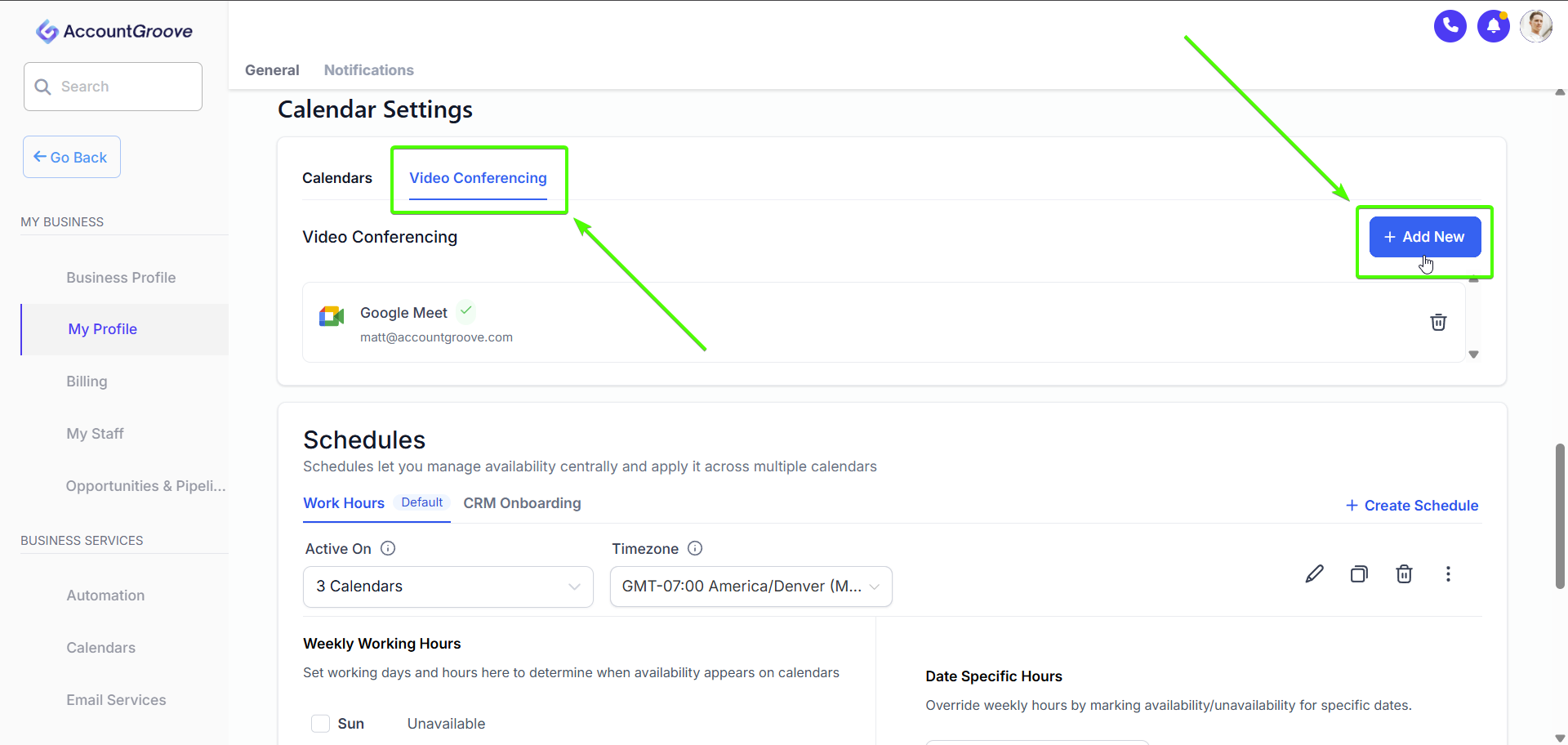
In My Profile, open Calendar Settings
Click the Video Conferencing tab
Click Add New
Choose your video conferencing provider:
- Google Meet
- Zoom (if available)
- Follow the authorization steps
- Click Save / Update
Once connected, AccountGroove will automatically attach a video meeting link to scheduled events, ensuring clients always have the correct join information.
Set Your Availability Schedule
Availability controls when contacts can book meetings with you.
Steps
- In My Profile, scroll to Working Hours
- Set your available days and time ranges
- Optionally add Date-Specific Hours for exceptions
- Review your schedule
- Click Save / Update
If no availability is set, meeting bookings may not function correctly and book times on non-working hours.

Connect Marketing and Operational Emails Under One Roof
Connect to sync incoming & outgoing emails between the CRM & your personal email account.
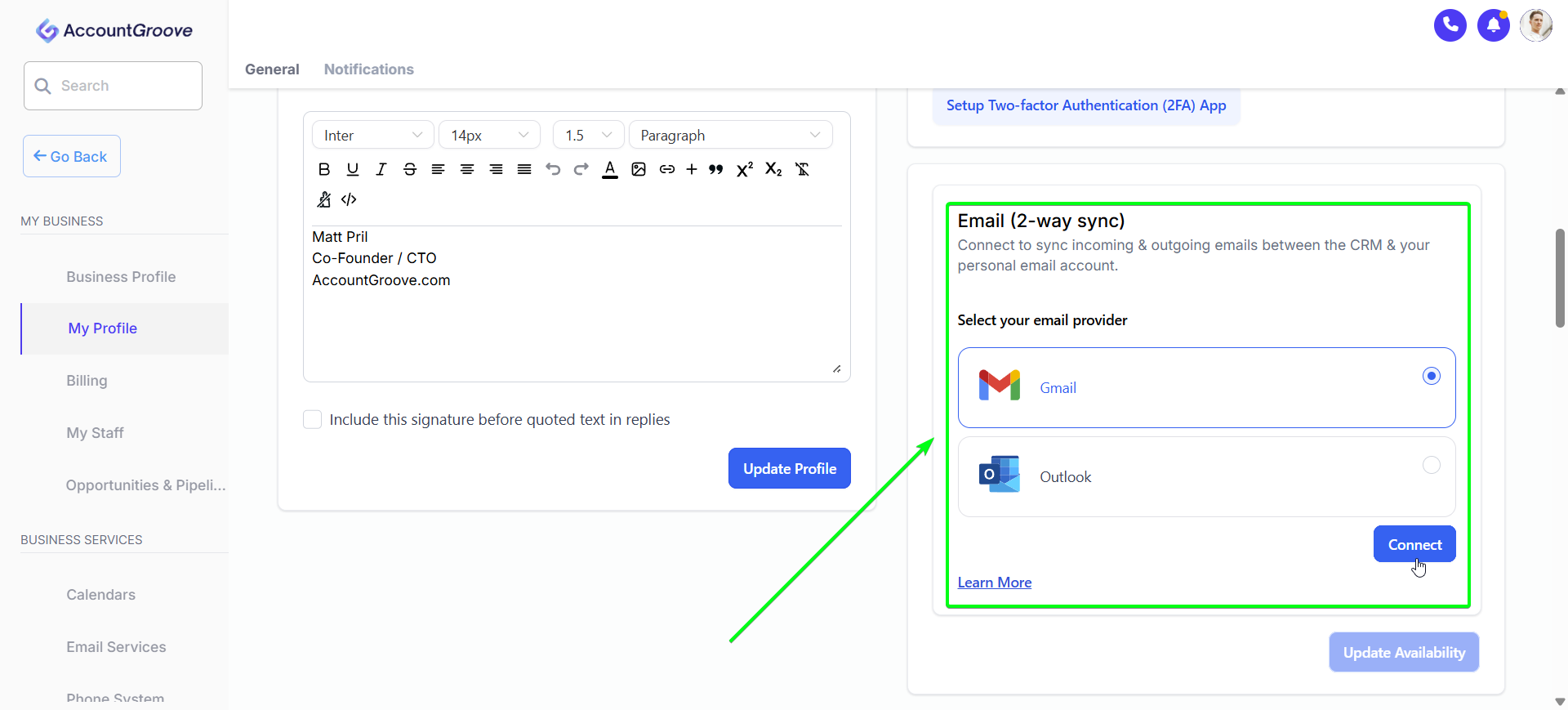
What is Email Two way sync?
Users can connect their personal Gmail or Outlook email accounts and sync outgoing & incoming emails between the AccountGroove CRM and their personal Gmail or Outlook accounts. Users can use their email accounts to send, receive & track emails. The sync will be established between both platforms in different circumstances.
Outlook:
When an email thread is initiated from the CRM (first outbound message). All the subsequent emails in the thread will sync between both platforms. This feature is a user-level setting and does not impact other users in the sub-account.
Gmail:
There are two cases of how the sync can be established.
1. You can email a contact from the CRM to initiate the sync between both platforms.
2. Gmail Sync also works if a contact already saved in the CRM sends an email to the User (who has Gmail Two Way sync integrated) on their Gmail Email address. The email would sync into the conversations tab. The contact also needs to be assigned to the user beforehand.
Final Notes
- Changes take effect immediately after saving
- Be sure your calendar and availability are both configured for scheduling to work properly
- Keep your email signature updated for a professional appearance